

Claiming
Pick one of three ways: creator wallet, official X account, or manual review.
Click "Project team? Claim it here" at the top of your space, or go to bab.sc/chain/contract/claim. No space yet? Paste the contract address on the home page to activate it first.
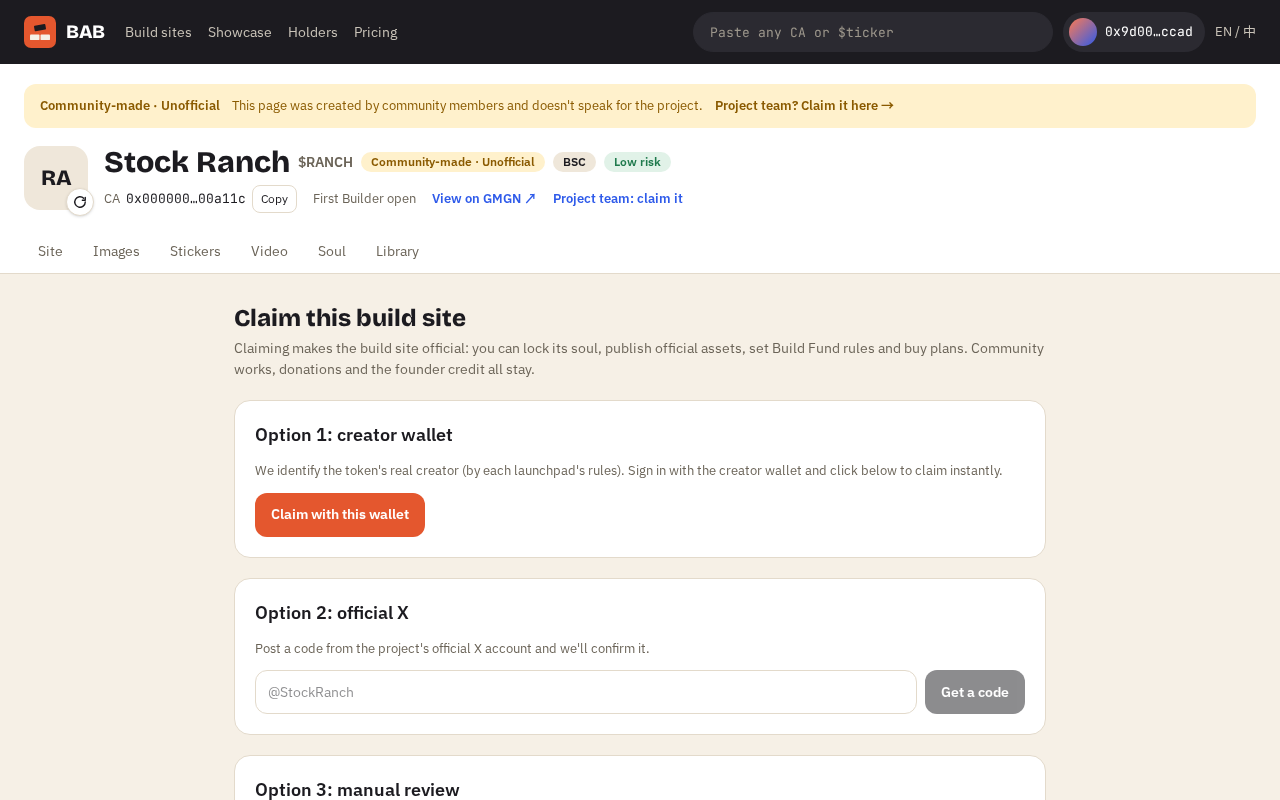
Way 1: creator wallet
We identify the token's real creator: the deployer for regular contracts, or per-platform rules for launchpads like flap, four.meme and pump.fun.
Sign in with the creator wallet and click "Claim with this wallet" — done instantly. If you're on the wrong wallet, the page shows which address to use.
Way 2: official X account
Get a code
Enter the project's official X account and click "Get a code".
Post it
Post the text shown from that account (you can delete it afterwards).
Verify
Click "I've posted — verify". If that account is already registered as the space's official X account, it's approved instantly; otherwise we check it by hand.
Way 3: manual review
When neither works (community takeovers, for example), explain your relationship to the project and add links: website, X, screenshots showing you admin the Telegram group, community votes. Track progress under "My claims".
Disputing a claim
If you believe a space was claimed by the wrong people (the original team left, the community took over), submit evidence on the claim page. We handle it manually; nothing changes in the meantime.
A claim only changes who manages the space; no community works, donation records or founder credits are removed. Bricks in the build fund can only be used for this project's generations — the project can't withdraw them either.
BAB is an independent project, not affiliated with or endorsed by Binance or its affiliates. Nothing here is investment advice; we make no price judgments about any token.